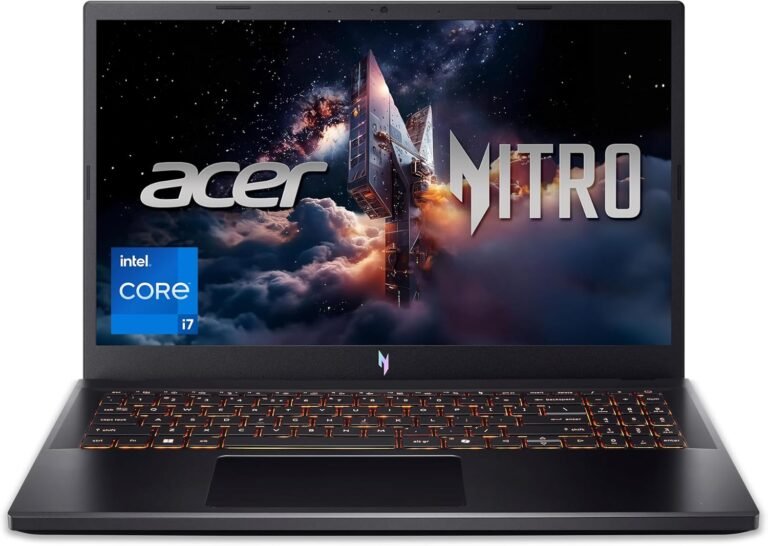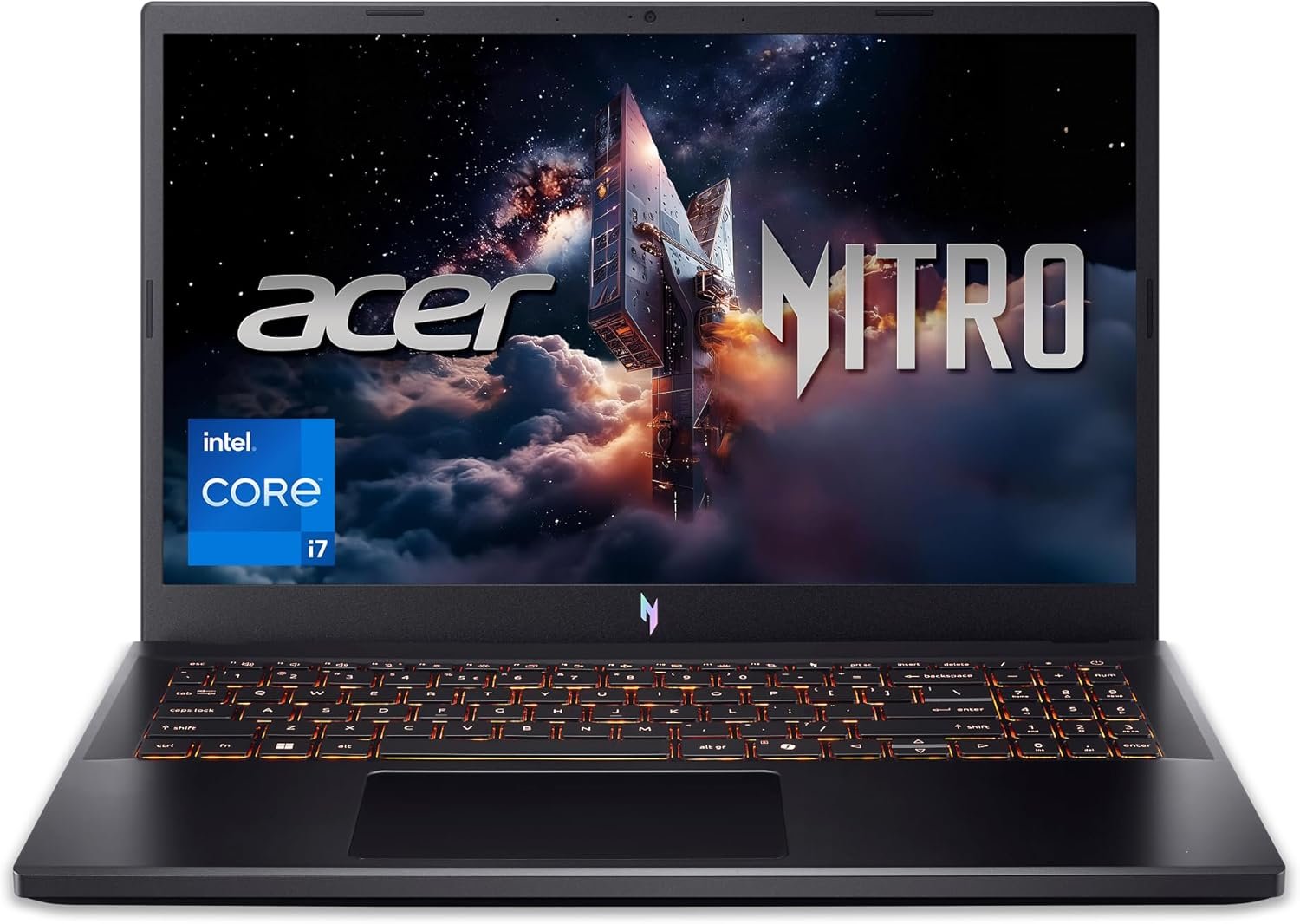
Intel Core i7-13620H | NVIDIA GeForce RTX 4050 Laptop GPU | 15.6″ FHD IPS 165Hz Display | 16GB DDR5 | 1TB Gen 4 SSD | Wi-Fi 6 | Backlit Keyboard
The Acer Nitro V ANV15-52-76NK is engineered as a performance-focused gaming laptop designed to balance modern graphics capabilities, high-refresh visuals, and fast storage within a streamlined chassis. Built around a 13th Gen Intel Core i7 processor and NVIDIA GeForce RTX 4050 Laptop GPU, this configuration targets users who require strong processing power for gaming, content creation, and multitasking.
This article provides a comprehensive overview of the hardware architecture, display characteristics, graphics capabilities, memory and storage configuration, cooling system, connectivity, and practical usage scenarios of the Acer Nitro V Gaming Laptop.
1. Processor: Intel Core i7-13620H Architecture
At the core of this system is the Intel Core i7-13620H, a 13th Generation processor designed for high-performance laptops.
Hybrid Core Design
The i7-13620H utilizes Intel’s hybrid architecture, combining:
- Performance cores (P-cores) for intensive tasks
- Efficient cores (E-cores) for background operations
This configuration allows the processor to dynamically allocate workloads depending on system demand. Gaming engines, creative applications, and data-heavy programs can leverage performance cores, while routine tasks such as browsing and background updates run on efficiency cores.
Multitasking and Compute Capability
With multiple cores and threads, the processor supports:
- High frame-rate gaming
- Streaming while gaming
- Video editing workflows
- 3D modeling tasks
- Code compilation
- Virtualization (within system limits)
The processor is optimized for sustained workloads typical in gaming and productivity environments.
2. Graphics: NVIDIA GeForce RTX 4050 Laptop GPU
The Acer Nitro V features the NVIDIA GeForce RTX 4050 Laptop GPU, built on NVIDIA’s Ada Lovelace architecture.
Ray Tracing Support
The RTX 4050 supports hardware-accelerated ray tracing, enabling more realistic lighting, shadows, and reflections in supported games and applications.
AI-Enhanced Graphics
NVIDIA’s AI-driven technologies may include:
- DLSS (Deep Learning Super Sampling)
- AI-assisted rendering improvements
- Enhanced performance scaling
These technologies can improve frame rates and image quality depending on software compatibility.
Content Creation Acceleration
Beyond gaming, the RTX 4050 supports:
- GPU-accelerated rendering
- Video editing enhancements
- 3D design tools
- Streaming optimization
Dedicated GPU memory and processing cores enable smoother handling of graphics-intensive tasks.
3. 15.6-Inch FHD IPS 165Hz Display
The Nitro V includes a 15.6-inch Full HD IPS display with a 165Hz refresh rate.
Full HD Resolution
The 1920 × 1080 resolution provides:
- Clear text and visuals
- Suitable pixel density for gaming
- Balanced performance demands
Full HD resolution is commonly used in gaming laptops because it allows high frame rates without excessive GPU strain.
IPS Panel Technology
IPS (In-Plane Switching) panels offer:
- Wide viewing angles
- Consistent color reproduction
- Improved clarity compared to standard TN panels
This is beneficial not only for gaming but also for content creation and media consumption.
165Hz Refresh Rate
A 165Hz refresh rate enables smoother motion during fast-paced gameplay. Higher refresh rates reduce motion blur and enhance visual fluidity when paired with compatible hardware.
4. Memory: 16GB DDR5 RAM
The system includes 16GB of DDR5 memory, which represents a newer generation of system RAM.
DDR5 Advantages
Compared to earlier DDR4 memory, DDR5 provides:
- Higher bandwidth
- Improved efficiency
- Better performance scaling
With 16GB of RAM, users can:
- Run modern games
- Operate multiple background applications
- Stream content
- Use productivity software
- Manage creative tools
DDR5 supports faster data access and improved multitasking performance.
5. Storage: 1TB PCIe Gen 4 SSD
The Nitro V is equipped with a 1TB PCIe Gen 4 solid-state drive.
Gen 4 SSD Performance
PCIe Gen 4 SSDs offer:
- Faster read/write speeds
- Reduced load times
- Rapid boot performance
- Faster file transfers
For gaming, this translates to:
- Quicker game launches
- Reduced loading screens
- Faster asset streaming
The 1TB capacity provides ample space for:
- Large game libraries
- Creative project files
- Software installations
- Media storage
6. Cooling System and Thermal Management
Gaming laptops require effective cooling systems to maintain performance under load.
Thermal Design
The Acer Nitro V typically incorporates:
- Dual-fan cooling
- Strategic heat pipe placement
- Airflow optimization
Efficient thermal management helps:
- Maintain stable frame rates
- Reduce performance throttling
- Improve long-session stability
Cooling systems are particularly important for high-performance CPUs and GPUs operating simultaneously.
7. Design and Build
The Nitro V features a modern gaming aesthetic while maintaining a practical form factor.
Chassis Characteristics
- Durable construction
- Ventilation-focused design
- Slim gaming profile
- Portable 15.6-inch format
The balance between portability and performance makes it suitable for users who need mobility without sacrificing hardware capabilities.
8. Backlit Keyboard
The laptop includes a backlit keyboard designed for gaming and productivity.
Keyboard Features
- Illuminated keys for low-light environments
- Full-size layout
- Responsive key feedback
- Dedicated gaming keys
Backlighting enhances usability in dim settings and contributes to the gaming-focused design.
9. Networking: Wi-Fi 6
Wi-Fi 6 support improves wireless connectivity performance.
Wi-Fi 6 Benefits
- Faster wireless speeds
- Reduced latency
- Improved performance in crowded networks
- Enhanced stability during online gaming
Low latency is particularly relevant for competitive online gaming and video conferencing.
10. Audio System
The Nitro V typically includes stereo speakers optimized for gaming and multimedia use.
Audio Capabilities
- Clear dialogue reproduction
- Balanced frequency output
- Enhanced immersion in gaming
Audio performance supports both entertainment and communication tasks.
11. Connectivity and Ports
Gaming laptops are often equipped with versatile connectivity options.
Typical ports may include:
- USB Type-A
- USB Type-C
- HDMI output
- Ethernet (RJ-45)
- Audio jack
These ports enable:
- External monitor connections
- Gaming peripherals
- Wired internet connections
- External storage expansion
Ethernet support is especially beneficial for stable gaming connections.
12. Gaming Performance Profile
With the combination of:
- Intel Core i7-13620H
- NVIDIA RTX 4050
- 16GB DDR5
- 165Hz display
The Nitro V is structured to handle modern gaming titles at Full HD resolution.
Performance varies depending on:
- Game optimization
- Graphics settings
- Driver versions
- Background processes
The 165Hz panel allows the system to display high frame rates when supported by hardware and game configuration.
13. Content Creation Capabilities
Beyond gaming, the hardware configuration supports:
Video Editing
GPU acceleration assists with rendering and timeline performance.
Graphic Design
IPS display technology enhances color consistency.
3D Modeling
RTX GPU cores support rendering engines and modeling applications.
Streaming
The processor and GPU combination enables streaming and gaming workflows.
14. Multitasking and Productivity
The hybrid CPU architecture combined with 16GB DDR5 memory allows efficient multitasking:
- Running creative software while browsing
- Editing documents during downloads
- Switching between applications without major slowdowns
The system is suited for hybrid users who combine gaming with work or study.
15. Upgrade Potential
Gaming laptops often provide options for expansion.
Potential upgrade areas may include:
- Additional SSD slot (depending on configuration)
- RAM expansion (subject to motherboard design)
Users should consult official specifications for compatibility.
16. Battery Considerations
Gaming laptops prioritize performance, and battery life can vary significantly depending on:
- GPU usage
- Screen brightness
- Background tasks
- Wireless connectivity
While capable of portable use, high-performance gaming workloads typically require external power for optimal results.
17. Security and Software
The Nitro V supports Windows operating system security features such as:
- Secure login options
- Firewall protection
- System encryption tools
Users can also install third-party security software if required.
18. Practical Use Cases
Gamers
- Competitive esports titles
- AAA gaming at Full HD
- High refresh rate gameplay
Students
- Engineering software
- Design applications
- Research multitasking
Content Creators
- Video editing
- Graphic production
- Streaming setups
Professionals
- Data-heavy workflows
- Virtual meetings
- Performance-demanding applications
19. Technical Summary
- Model: ANV15-52-76NK
- Intel Core i7-13620H processor
- NVIDIA GeForce RTX 4050 Laptop GPU
- 15.6-inch FHD IPS 165Hz display
- 16GB DDR5 memory
- 1TB PCIe Gen 4 SSD
- Wi-Fi 6 connectivity
- Backlit keyboard
Conclusion
The Acer Nitro V ANV15-52-76NK integrates a 13th Gen Intel Core i7 processor with NVIDIA RTX 4050 graphics, a high-refresh 165Hz IPS display, DDR5 memory, and Gen 4 SSD storage. This combination is structured to support Full HD gaming, creative workloads, and multitasking environments.
With its hybrid CPU architecture, AI-enhanced GPU technologies, high-speed storage, and modern connectivity features, the Nitro V is positioned as a performance-oriented laptop designed for gaming and productivity within a 15.6-inch form factor.
This overview highlights the system’s core components, architectural design, and practical usage scenarios to provide a clear understanding of its capabilities and intended applications.
About the Author